Microsoft has already announced that windows server 2003 / windows server 2003 R2 versions support is coming to end in 14th July 2015 (http://support2.microsoft.com/lifecycle/search/default.aspx?sort=PN&alpha=Microsoft+Windows+Server+2003&Filter=FilterNO). It’s no wonder that some organizations still uses windows server 2003 versions in production environment.
If you still not plan for migration from legacy windows server versions, well time has come!!
This guide will explain how we can migrate AD CS from windows server 2003 to windows server 2012 R2.
In this demonstration I am using following setup.
Server Name
|
Operating System
|
Server Roles
|
canitpro-casrv.canitpro.local
|
Windows Server 2003 R2 Enterprise x86
|
AD CS ( Enterprise Certificate Authority )
|
CANITPRO-DC2K12.canitpro.local
|
Windows Server 2012 R2 x64
|
-
|
Backup windows server 2003 certificate authority database and its configuration
• Log in to Windows 2003 Server as member of local administrator group
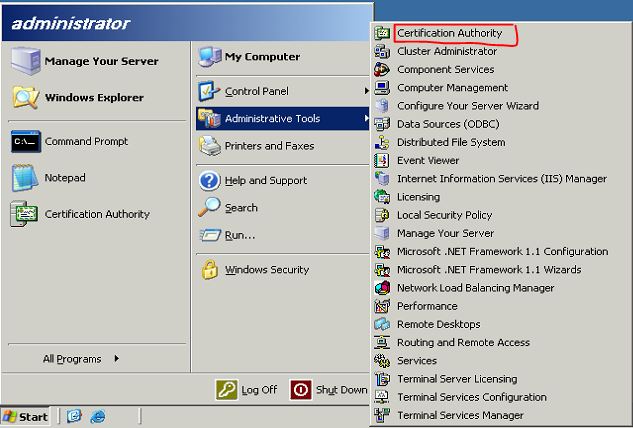
• Go to Start > Administrative Tools > Certificate Authority
• Go to Start > Administrative Tools > Certificate Authority
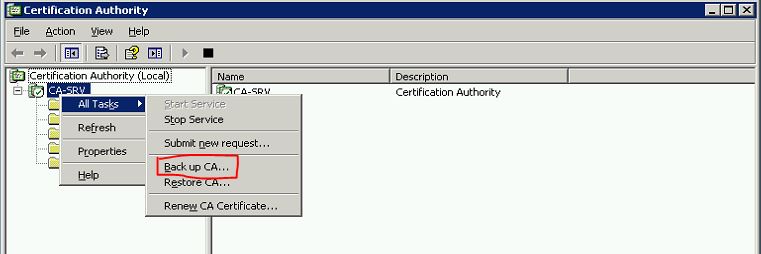
• Right Click on Server Node > All Tasks > Backup CA
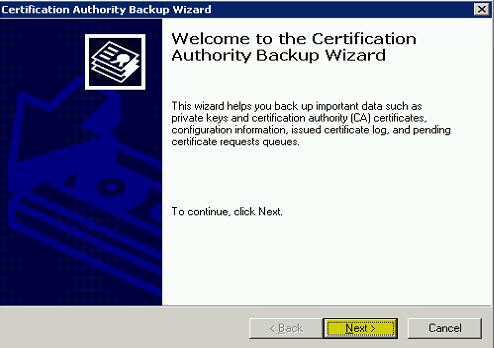
• Then it will open the “Certification Authority Backup Wizard” and click “Next” to continue
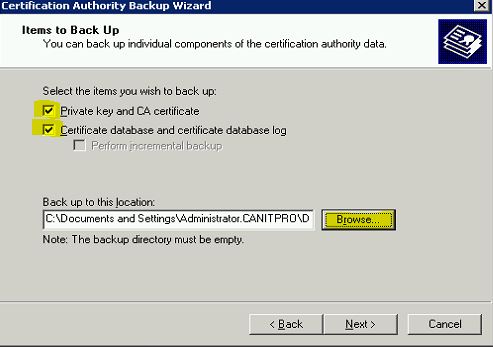
• In next window click on check boxes to select options as highlighted and click on “Brows” to provide the backup file path location where it will save the backup file. Then click on “Next” to continue